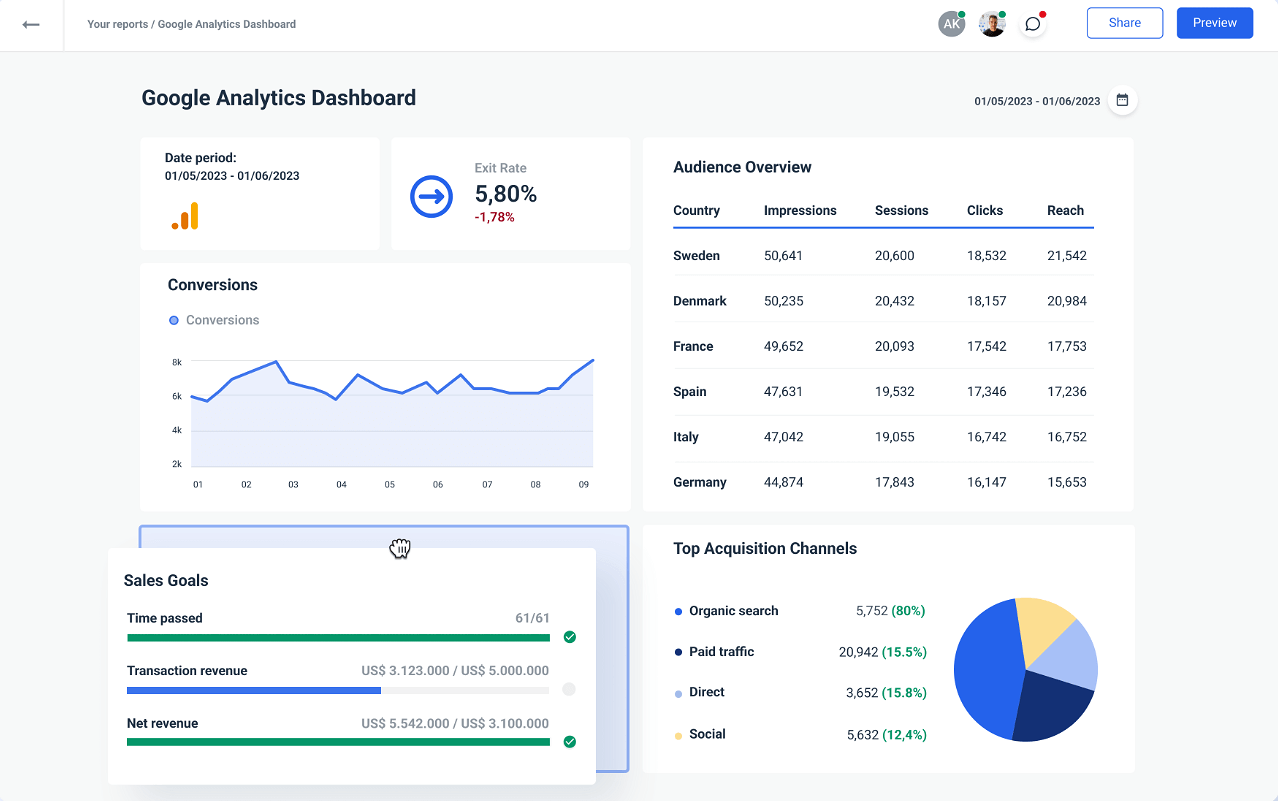
Unlocking the Secrets of Google Analytics: A Beginner's Guide
Google Analytics is an essential tool for anyone looking to enhance their online presence and measure the effectiveness of their digital marketing efforts. As a beginner, it can seem overwhelming, but understanding its key features will help you unlock valuable insights about your website's performance. Start by familiarizing yourself with the User Interface and exploring the various report sections such as Audience, Acquisition, Behavior, and Conversions. Each of these segments provides crucial data that can inform your strategy and improve user engagement.
To dive deeper into the practical application of Google Analytics, consider setting specific goals that align with your business objectives. Goals can include tracking conversions from a contact form, e-commerce purchases, or user sign-ups. By understanding how to set up and monitor these goals, you will gain clarity on your website's success metrics. Additionally, making use of custom dashboards and alerts allows you to stay informed and react promptly to changes in user behavior, ultimately enhancing your decision-making process.
10 Key Metrics in Google Analytics Every Marketer Should Monitor
In the world of digital marketing, understanding your traffic data is crucial for optimizing your strategies. Google Analytics offers a wealth of insights, but not all metrics are created equal. Here are 10 key metrics you should monitor closely:
- Traffic Sources: Knowing where your visitors come from helps you allocate resources effectively.
- Bounce Rate: A high bounce rate may indicate that your content isn't engaging enough.
- Session Duration: This metric shows how long users spend on your site, offering insights into their level of interest.
- Pages per Session: More pages per session often indicate higher engagement.
- Conversion Rates: Tracking how many visitors take a desired action can measure the effectiveness of your marketing efforts.
Continuing with essential metrics, pay attention to:
- User Demographics: Understanding the age, gender, and location of your audience can help tailor your content.
- New vs. Returning Visitors: This distinction can guide your customer retention strategies.
- Goal Completions: Monitoring the number of goal completions can help evaluate your marketing funnel's effectiveness.
- Site Speed: Slow loading times can lead to higher bounce rates, so monitoring this metric is vital.
- Event Tracking: Whether it's video plays or clicks on a button, tracking relevant events can provide deeper insights into user behavior.
How to Use Google Analytics to Enhance Your Digital Marketing Strategy
Google Analytics is a powerful tool that provides invaluable insights into your website's performance, helping you refine your digital marketing strategy. By setting up Google Analytics, you can track essential metrics such as user behavior, traffic sources, and conversion rates. This data allows you to identify which marketing channels are driving the most traffic, empowering you to allocate resources effectively. For instance, if you notice that organic search leads to higher engagement compared to paid ads, you can adjust your budget to focus more on SEO efforts.
Another critical feature of Google Analytics is its ability to segment data, enabling you to understand user demographics and preferences better. You can use this information to create targeted content that resonates with your audience. Additionally, implementing Goals and Events within Google Analytics provides a clearer picture of how well your marketing strategies are performing. For example, by tracking newsletter sign-ups, downloads, or any specific user action, you can assess whether your campaigns are effectively driving actions that align with your business objectives. This strategic approach not only enhances your digital marketing strategy but also contributes to achieving a higher return on investment (ROI).